T1 CRM
The system is designed for large and medium-sized businesses. We are currently developing No-code/Low-code solutions and scaling the system. The number of users in our group is approximately 3,000. Sales are also underway to other large enterprises. Large companies that currently have Oracle and SAP implemented are looking to switch to more flexible system customization using No-code and Low-code.
DESCRIPTION
Middle+ Product Designer (1-2 junior Desiner in team)
ROLE
2019-2022
YEAR
- Working on core backlog tasks. I was assigned to 3 teams, with 10 people in each. Tasks originated from the B2B backlog. Communicating with developers and analysts.
- Discussing ideas with stakeholders.
- Researching competitor solutions and conducting in-depth interviews.
- Discussing and approving Hypotheses, CX/UX research.
- Creating mockups and prototypes.
- Usability testing on prototypes.
- Analyzing, conducting follow-up usability testing, and handing over to development.
- Design reviews.
- Analyzing user feedback.
- Working on mockups and prototypes for presale.
- Designed Ui-Kit by adding new components and updating existing ones.
- Discussing established metrics and feature success.
- Working on hypotheses, generating ideas and features, and researching market solutions.
- Managing a dedicated knowledge base for ideas.
RESPONIBILITIES
1. Context
I worked on the Design System, including myself and two product designers. Each of us contributed approximately 30-35% of the total component development. The entire library was built using modern Figma features, including Auto Layout and Variants. We aligned with lead designers and developers We assessed team readiness for transitioning to the new design system, established implementation timelines. As a result, this transition significantly streamlined the design-to-development workflow, reducing overall front-end development time and increasing team efficiency.
ДИЗАЙН-СИСТЕМА
2. Design System
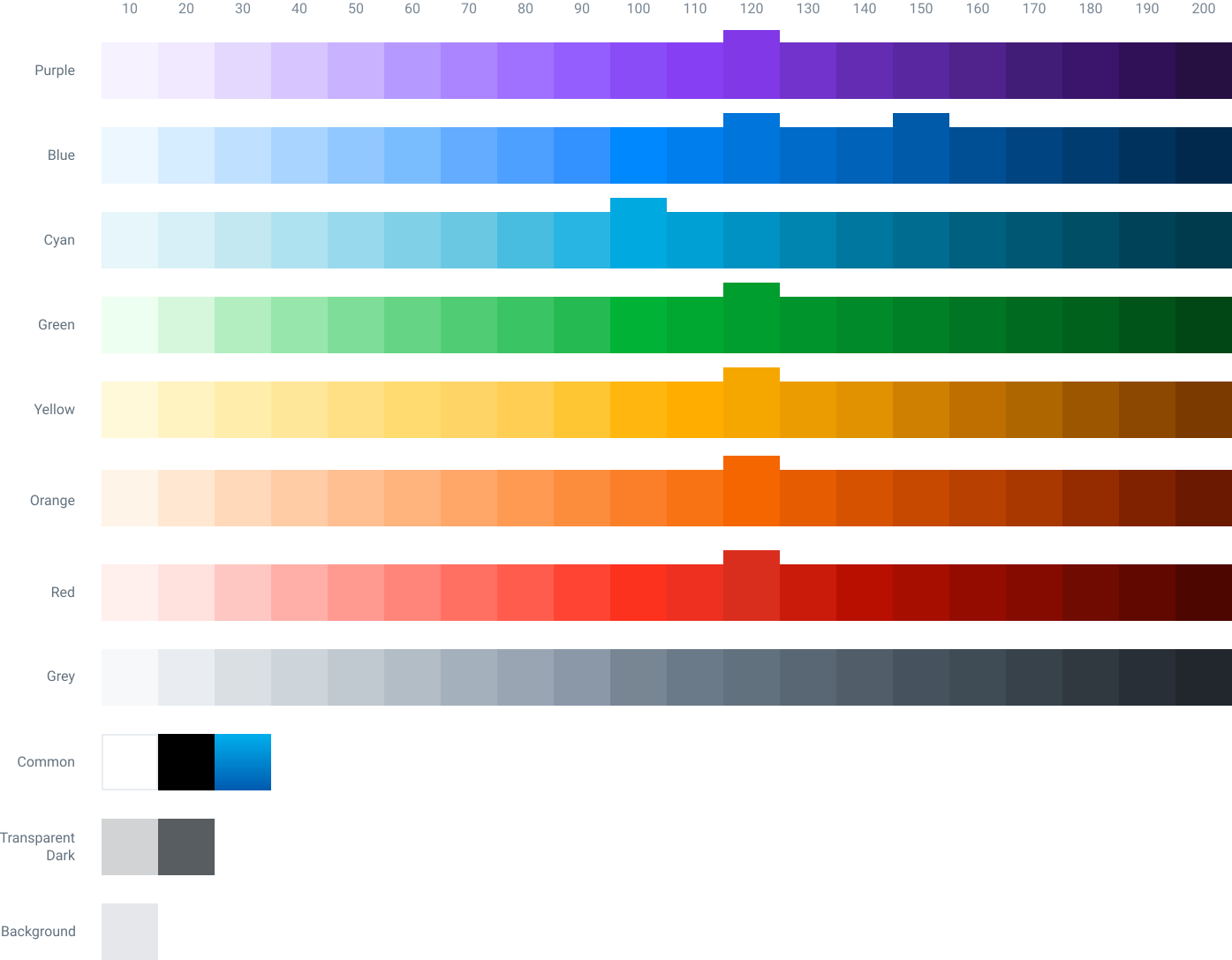
Designed a balanced base color palette with consistent contrast levels, validated through grayscale testing.
COLOR SYSTEM
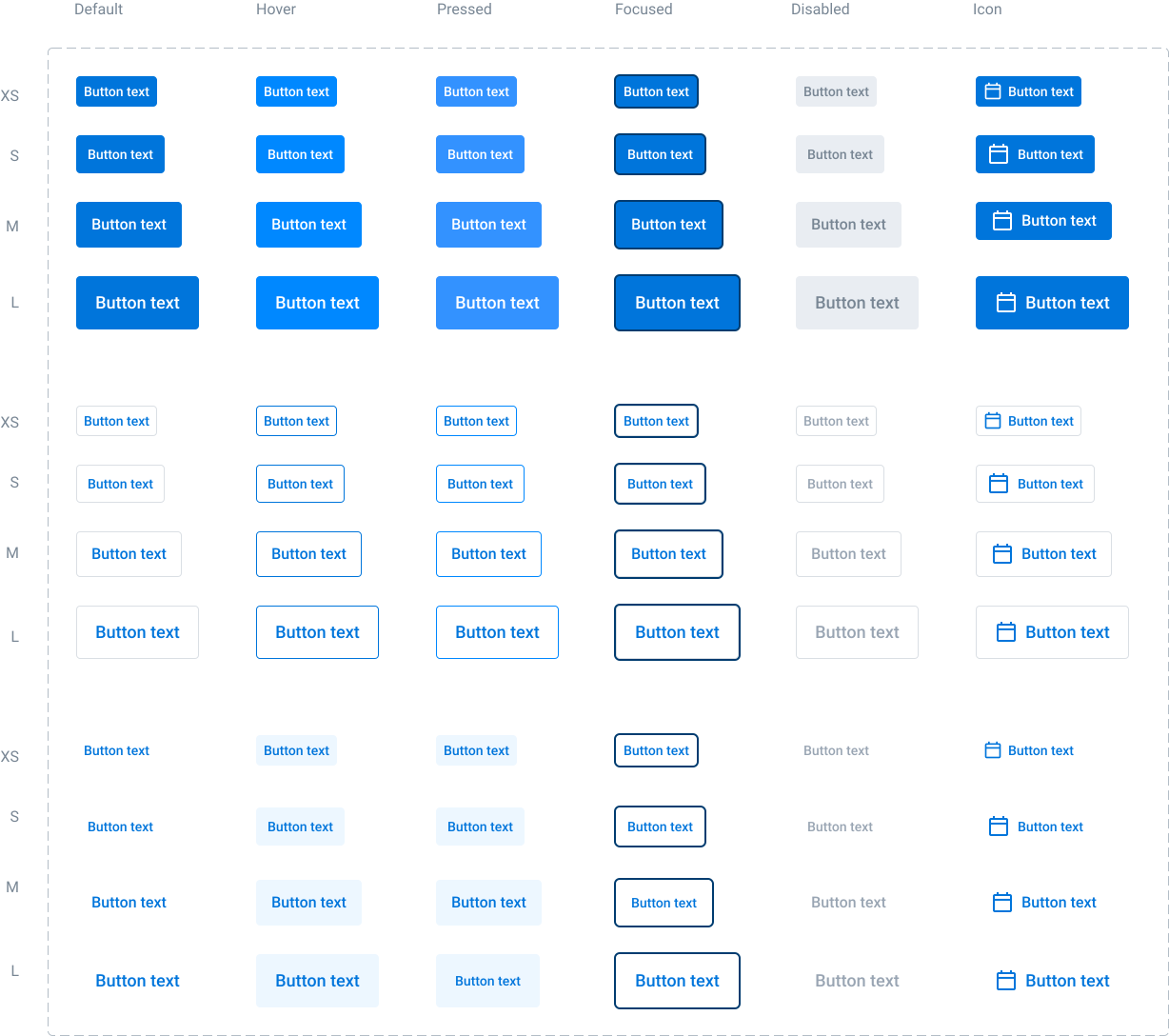
I designed core button states across multiple sizes.
BUTTON SYSTEM
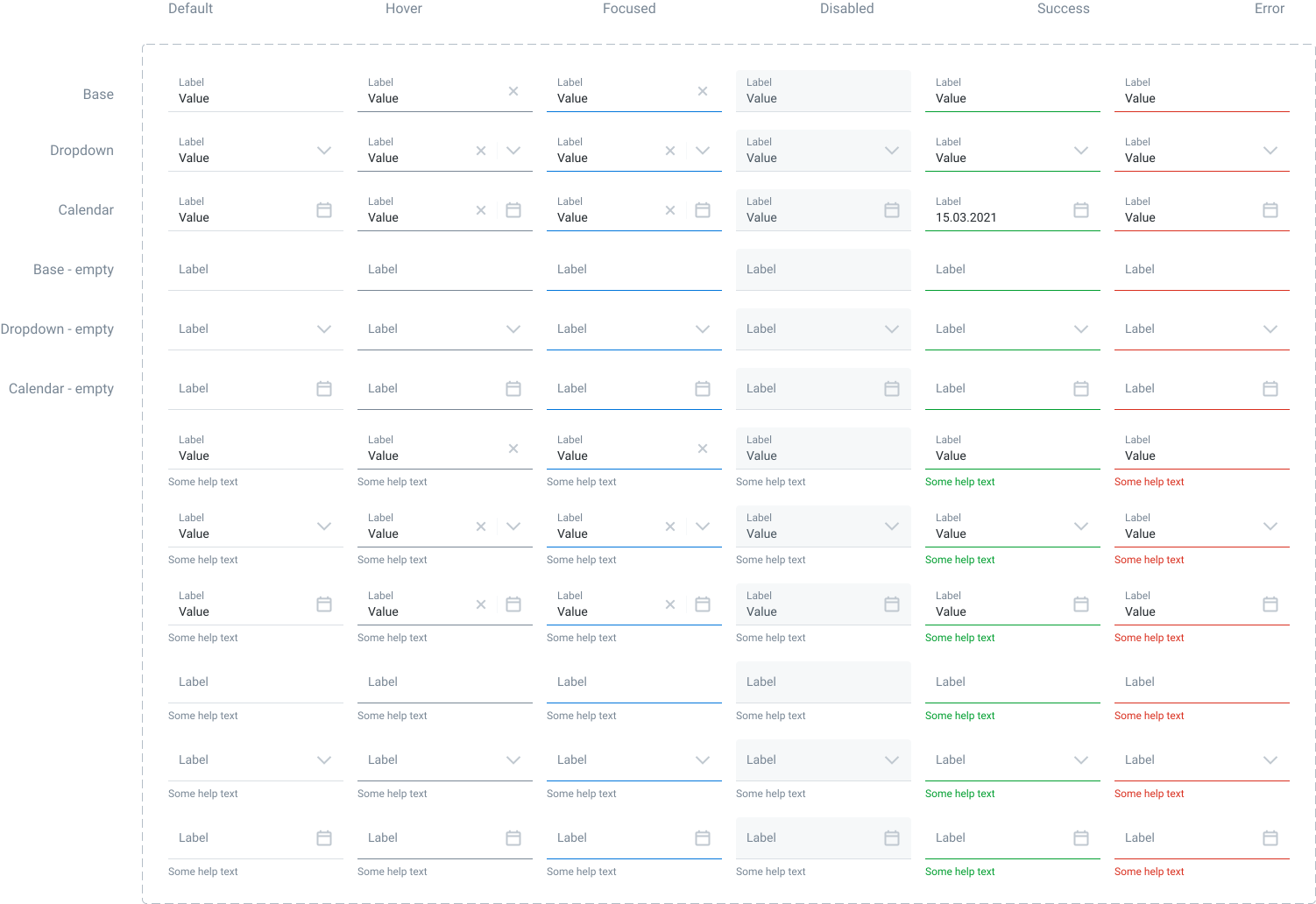
I designed and structured input components using Figma variants to cover core types (default, dropdown, calendar) and sizes (56px, 48px, 32px) across all interactive states.
INPUTS
- Companies, Leads, Deals, Deal products
- Contracts, Contract products, Acts, Payments
- Tasks, Notes, Attachments, Calendar
- Global search
- Admin panel
- Marketing, Marketing campaigns and events
- Newsletters, Newsletter templates, CTI, Print forms
- System notifications
- Chatbot and mobile app
FEATURES

3. Delivered CRM Features

Most CRM systems feature chatbots that help resolve certain tasks more efficiently. For this reason, we developed one for our system as well. Below is an example of the chatbot screens designed for a marketing event.
CHATBOT
RESEARCH

4. Working on Hypotheses

I designed user prototypes against user flows. I conducted a second round of qualitative usability testing with real users to validate my design updates. Based on the gathered insights, I refined the interface layouts, polished component states, and eliminated friction points. After I prepared production-ready Figma files with specifications to ensure a seamless handoff to the developers.
PROTOTYPING AND USABILITY TEASTING

I research new ideas, analyze challenges, design different user scenarios, and pitch them for alignment. Read more about our working process below.